How to Generate AI Videos With Claude: Script in the Chat, Render in the App
Claude writes the reel on 50 million analyzed reels, then hands you a link to render it in AvatarFactory in about 3 minutes. Honest setup.

To generate an AI video with Claude, connect the AvatarFactory MCP in Claude's connector settings and start the $1 trial. Ask Claude for your niche trends and a reel script. Claude then hands you a link into the AvatarFactory app with your avatar preselected, and one click renders a captioned vertical video in about 3 minutes.
Claude can write you a reel script in ten seconds. It cannot turn that script into a video, because Claude generates text, not footage. The AvatarFactory MCP adds the missing half. Connect it once, and Claude writes the reel on real trend data, then hands you a one-click link to render it in the AvatarFactory app, fronted by an avatar you own. Here is exactly how it works, and where the honest limits are.
Why Claude Cannot Render Video on Its Own
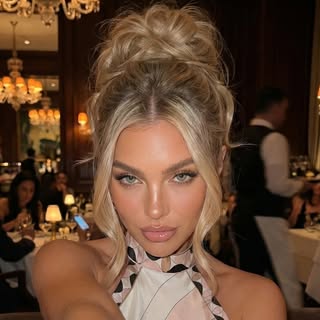
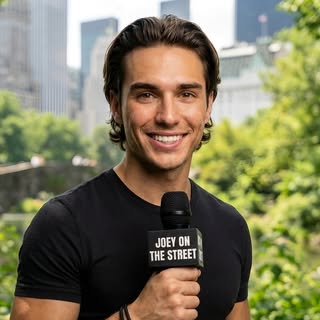
The AvatarFactory MCP is a connector that lets Claude reach AvatarFactory’s tools. Claude can pull niche trends, shape a persona, list the avatars you built in the AvatarFactory app, and write a reel script in one of their voices. When the script is ready, it links you back into the app with that avatar preselected, and the captioned vertical video renders on AvatarFactory’s servers.
Claude is a language model. It reasons, plans, and writes. Rendering a video is a different job that needs image generation, voice generation, lip sync, captions, and an encoder working together. That work happens on AvatarFactory’s servers. The MCP is the bridge: Claude does the thinking and writing, AvatarFactory does the rendering, and one link moves your script from the chat into the app.
How to Generate an AI Video With Claude, Step by Step
Five steps from an empty chat to a finished MP4.
Step 1: Connect the AvatarFactory MCP
Open Claude’s Settings, go to Connectors, click Add custom connector, and paste the AvatarFactory MCP URL. Sign in and approve it. The connector needs an active AvatarFactory plan, and the $1 trial counts. On Claude Code, add it from the terminal with a single command. The AvatarFactory tools now live in every chat.
Step 2: Pull what is working in your niche
Ask Claude what is trending in your niche. It calls the trend tool, which draws from more than 50 million analyzed reels, and returns the hooks and formats winning right now. Starting from data beats starting from a blank prompt, because the render is only as good as the script you feed it.
Step 3: Write the reel script
Ask Claude to write the reel in the voice of an avatar you built. It builds the script on the trend data, hook to call to action. Read it, adjust a line, approve. Writing a script uses your plan allowance. New persona? Claude points you to the app to build its face and voice first, then scripts it.
Step 4: Open the render link
When the script is approved, Claude hands you a link into the AvatarFactory app with your avatar preselected. AvatarFactory locks that consistent face, so the same character fronts every video.
Step 5: Render the video
Click render in the app. AvatarFactory produces a captioned vertical video in about 3 minutes and spends credits the usual way. Download the MP4 and it is ready for Reels, TikTok, and Shorts.
The Honest Limits
No sales page likes this section, so here it is up front.
The output is short-form vertical video. Talking-head reels for Instagram, TikTok, and YouTube Shorts, fronted by a consistent persona. It is not built for long-form documentaries or cinema-grade film, and it is not trying to be. It is built for the faceless creator who needs to ship daily content that stops the scroll.
Rendering is not instant, and it does not happen inside Claude. It runs in the AvatarFactory app on AvatarFactory’s servers and takes about 3 minutes per video, because real image generation, voice, lip sync, and captions take compute. That is fast against filming yourself, which is hours, but it is not a one-second text reply.
And it is not free. Adding the connector takes one click, but using it needs an active AvatarFactory plan, which starts with a $1 trial. Trend research and persona ideas are included, scripts use your plan allowance, and avatars and renders spend credits in the app. That is the trade: a $1 three-day trial before any monthly plan, and you can cancel anytime.
Where Other Options Fit
To be straight with you, AvatarFactory is not the only way to make AI video with Claude. HeyGen ships its own MCP that works on every HeyGen plan as of October 2026, with paid plans from $29 a month. Claude can write the script and render it with one of your HeyGen avatars, on your HeyGen credits. That works if you already pay for HeyGen and want video from the chat. AvatarFactory sits earlier in the workflow: it tells you what to say from 50 million analyzed reels, builds a persona you own, and starts with a $1 three-day trial, then plans from $39 a month. Pick the one that matches where you are.
ChatGPT is moving the same way. As of October 2026, Higgsfield documents a ChatGPT plugin that generates clips inside ChatGPT on Higgsfield credits. AvatarFactory’s ChatGPT connector is narrower today: free to add in Developer Mode, it covers trend research and your account status. The full script and render handoff runs through Claude or the AvatarFactory app.
Why the Script Quality Decides the Video
A render is only as good as the script behind it. A polished avatar reciting a weak hook still gets 40 views. This is the real reason to write the reel in Claude and render the video in the AvatarFactory app rather than hand a cold script to a bare renderer.
The script tool is built on more than 50 million analyzed reels, so the draft Claude writes already follows the hook, pacing, and payoff patterns that hold attention in your niche. You are not rendering a guess. You are rendering a script shaped like the ones that already won. To go deeper on building the persona side of this, read how to make an AI influencer with Claude.
Write the reel in Claude, then render it in one click in the app. Start your $1 trial and ship your first video. Cancel anytime.
Get the Most Out of Every Render
Four habits make the videos land:
- Start from trends, not a blank prompt. Ask what is working before you write. The render inherits whatever the script gives it.
- Keep one persona. Reuse the same avatar every time so the videos build a recognizable creator instead of a churn of faces.
- Read the script before you render. The trend data structures it, but your voice and your offer make it yours. Fix the hook first.
- Batch in one session. Write five scripts in a single Claude chat, then render them across the week. That is how a channel keeps a cadence.
Do those and the loop is clean: pull the trend, write the reel, open the app, render, publish, repeat.
Frequently Asked Questions
Can Claude generate videos? +
How do I render a video from a Claude chat? +
What kind of videos can I make this way? +
What are the limits I should know about? +
Is generating AI videos with Claude free? +
Can I generate AI videos in ChatGPT with AvatarFactory? +
Ship your first faceless video today.
Build your channel host avatar, paste a script, and publish a reel in minutes. No camera, no edit suite, no studio.
$1 three-day trial · First reel in minutes · Cancel anytime